
cctv for shop security uk december
CCTV for Shop Security UK: December Recorder Checks
Before December, check the recorder rather than the cameras: a sharp picture is worthless if the disk has overwritten the incident or the timestamp is an hour…
On this page
- What should CCTV for shop security prove before December?
- How long should the recorder keep footage over Christmas and the New Year?
- Sizing for the closure
- Quick drive checks
- Is the recorder's clock right after the clocks went back?
- What to check
- Why it matters
- Mixed systems
- Do cameras and recording schedules still behave at a 4pm dusk?
- Will remote view and alerts work when nobody is there, and can you export footage on demand?
- Remote view and alerts
- Export test
- UK law, briefly
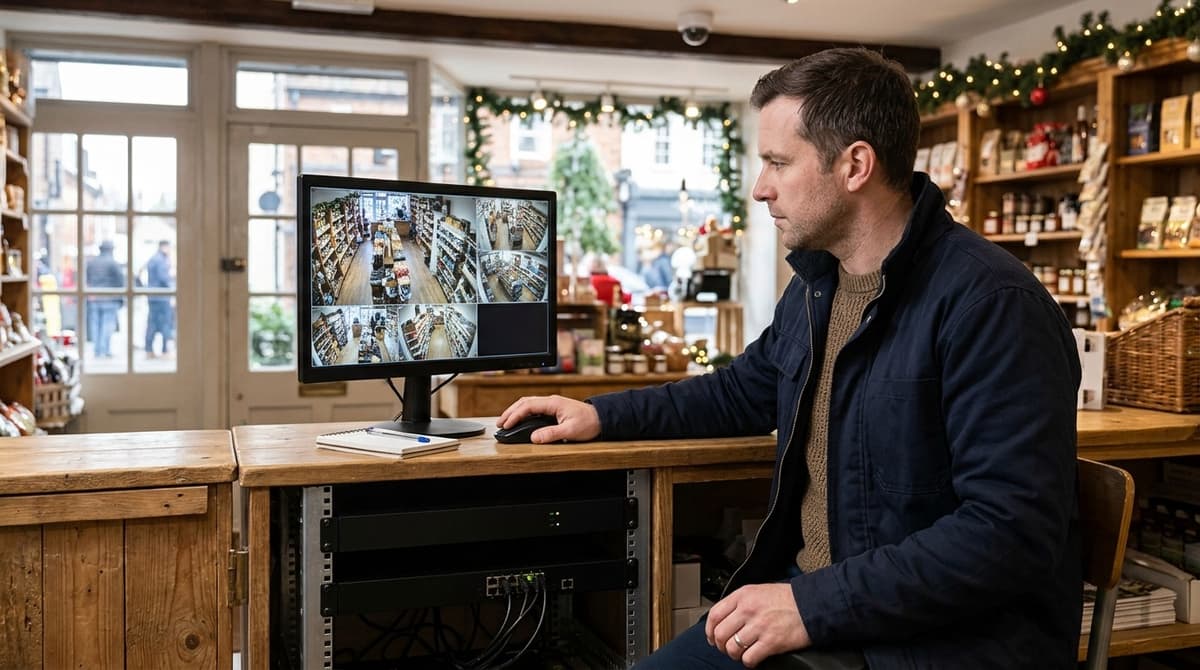
Before December, check the recorder rather than the cameras: a sharp picture is worthless if the disk has overwritten the incident or the timestamp is an hour out. Make sure the storage covers your longest closure, including the Christmas and New Year gap. Confirm the clock was corrected after the clocks went back on 25 October, and practise exporting a clip so you know you can hand it over. There is no fixed legal retention period in the UK, so the number of days you keep footage is your own decision, and you should be able to justify it for your premises.
What should CCTV for shop security prove before December?
Before December, prove the recorder can store, timestamp and export an incident, because that is where evidence is made or lost. A camera with a flawless picture is worthless if the disk has overwritten the event or the clock is an hour out.
Five checks, run in this order, cover it. They suit a shop and a home alike, though the pressure points differ: a shop needs them done before trading peaks, while a home needs them to hold up while nobody is there.
- Storage: find the oldest recording on the recorder and compare it with the retention you intend. If it reaches back fewer days than expected, the disk is filling faster than you planned. Retention is capacity divided by the combined daily write rate of all cameras, so busy scenes and extra channels shorten it.
- Clock: compare the recorder's on-screen time with a phone. UK clocks went back on 25 October, so a recorder with a wrong time zone or daylight-saving setting can sit an hour out. Enable network time sync if the unit offers it.
- Switchover: confirm the recorder changes mode when you expect. In a shop that is trading-hours to after-hours recording. At home it is occupied to away. Also pull the power briefly and check it restarts and resumes recording without anyone touching it.
- Alerts: trigger a real detection and see where the notification lands. In a shop, the phone must belong to whoever is actually on call. At home, test it on mobile data, because that is how it will arrive while you are travelling.
- Export: save a clip to a USB stick and play it on a different computer. If it only plays inside the recorder's own software, you have found the problem before a police officer or insurer does.
Retention is also a legal question, not just a disk-size one, and our guide to legal standards for UK CCTV installation is the place to check yours.
This section is about recording integrity, not image quality. For lens, lighting and picture checks, see our dark-evenings night-checks article.
How long should the recorder keep footage over Christmas and the New Year?
Yes, footage is deleted automatically: recorders overwrite the oldest recordings once the drive fills, so retention depends on capacity and bitrate, not a fixed rule. No single period applies to every shop, and the ICO's CCTV guidance expects you to keep footage only as long as your purpose needs.
The working estimate is:
retention days ≈ usable drive capacity ÷ combined camera bitrate per day
Here, usable drive capacity is the formatted space across every installed drive. Combined camera bitrate per day is each camera's data rate, added together and converted to a daily volume. The result moves with resolution, frame rate, codec, recording mode (continuous or motion-triggered) and camera count. Motion mode stretches retention, but a busy December raises motion events, so estimates made in a quiet month tend to be optimistic.
Sizing for the closure
Set retention to cover the longest closure, counted in calendar days from the last close on Christmas Eve to the first reopening, plus time for someone to notice an incident. A break-in on 25 December that is only spotted on reopening is lost if the drive overwrites it first. For a home, use the length of the holiday away instead.
Quick drive checks
- Confirm a surveillance-grade drive is fitted, not a desktop one.
- Check the recording mode, frame rate and codec on each camera.
- Make sure overwrite is enabled and the drive shows healthy and formatted.
- Play back to the oldest recording and compare its date with your target.
- Check the recorder's clock, so timestamps hold up as evidence.
Is the recorder's clock right after the clocks went back?
Clocks went back on 25 October 2026 (BST to GMT), so check the recorder first, then each camera's on-screen overlay. A recorder that missed the change will stamp everything an hour out until someone corrects it.
What to check
- Compare the recorder time, each camera's overlay time and a phone clock. All three should agree to within a few seconds.
- Check the time zone setting and the DST and NTP (network time) settings on the recorder.
- Search playback by time for an event you remember, such as the shutters going up this morning. It should appear at the time you expect.
- Look at footage recorded since 25 October for an hour offset, especially around the time you opened or closed.
Why it matters
Police and insurers will ask for footage by time of day. A stamp that is an hour out makes the clip harder to find and weakens its evidential value, because someone may ask which clock to believe.
If you find an offset, correct the clock going forward but leave stored footage alone. Record the offset in writing: the dates affected, the size of the error, who found it and when it was corrected. That note lets anyone reviewing the footage reconcile it with the real time.
Mixed systems
A camera with its own internal clock can drift from the recorder. Where you can, set one time source for every device so they cannot disagree.
Do cameras and recording schedules still behave at a 4pm dusk?
Usually yes, but verify the recording side: in December dusk lands around the end of the working afternoon, while you're still trading. The question is whether footage survives the switchover, not whether the picture looks good.
Open playback for the changeover period and scrub through it. You are looking for three things:
- Switchover: the day/night (IR) change happens with no visible gap or frozen frames in the recording.
- Triggers: schedules and motion zones still fire in low light, not just in daylight.
- Continuity: no missing stretch appears on the timeline at the changeover.
A quick hygiene pass is enough here, as the full night routine belongs elsewhere:
- Wipe the lens and housing.
- Clear spider webs near the IR LEDs, because they bounce light back and cause glare.
- Recheck white balance once the lighting has changed.
Festive lighting adds a recording risk of its own. In shops, window displays and flashing Christmas lights can trigger false motion events that fill the disk, so tighten motion zones or mask the window area. Homes face the same issue with festive lights, so review the zones there too.
Will remote view and alerts work when nobody is there, and can you export footage on demand?
Only a live test will tell you, and the person who will be on duty over the break should run both tests themselves.
Remote view and alerts
Switch the phone to mobile data, not shop Wi-Fi, and open the live view. Then walk past a camera to trigger a test event and confirm the notification arrives. Wi-Fi hides port and routing faults that only show up from outside the building.
Check that the recorder has a working network connection and that no stored password is still the default. Review who holds admin access too, particularly seasonal staff. Give them view-only accounts, and remove anyone who has left.
Export test
Pull a clip by date and time, copy it to a USB drive, and play it on a different computer that doesn't have the recorder's viewer installed. This is where audits most often fail, usually because the clip needs a proprietary player or the file is the wrong format. Installers who want this checked at handover can see what to expect from a supplier in our guide to what installers need from a CCTV distributor.
UK law, briefly
These points are general, not legal advice, and the ICO's guidance is the place to confirm them:
- Visible signs saying CCTV is in operation should be in place.
- Subject access requests can cover CCTV footage, so you need to be able to find and export a person's clip.
- Police requests for footage are handled case by case.
- A data protection fee may apply if you are not already registered; check the ICO's fee page.
- Cameras that capture public space may fall outside the domestic exemption, which matters for residential cameras.
Frequently asked questions
How long do shops keep CCTV footage UK?
There is no fixed legal number. Each shop chooses a retention period and should be able to justify it, for example by how quickly incidents are usually noticed. Over Christmas and New Year, make sure storage covers your longest closure, so an incident before you shut isn't overwritten before you return.
Does CCTV footage get deleted automatically?
Usually, yes. Most recorders overwrite the oldest footage once the disk is full, so retention depends on disk capacity, camera count and recording settings. Before December, check how many days of footage your recorder currently holds, rather than assuming it will cover the holiday gap.
How does CCTV in shops work?
Cameras send video to a recorder, either a DVR or an NVR, which stores it on a hard drive for live viewing and playback. The recorder is where evidence is kept or lost. Disk size, the clock and footage export therefore matter as much as picture quality. Some units take only one drive.
Which CCTV is best for business?
No single system is best for every business. Choose based on your shop's size, camera count, closure periods and how much footage you need to keep. Compare recorders on storage capacity, alerts and ease of exporting footage, not just camera resolution.
Should I check my CCTV clock after the clocks change?
Yes. UK clocks went back on 25 October, and a recorder that didn't adjust will show timestamps an hour out. That can undermine footage as evidence. Check the displayed time against a reliable source, then test-export a clip to confirm it plays and carries the right time.
Sources & references
- cctv
- shop
- security
- uk
- december
Written by
CCTV Line Editorial Team
The CCTV Line team's guides are researched against the products we stock and the manufacturers' own datasheets, and fact-checked before they publish.
Related reading
- CCTV for Dark Winter Evenings UK: Night Checks 2026cctv for dark winter evenings uk
- Which NVR for an ANPR Camera in the UK (2026 Guide)which nvr do i need for an anpr camera uk
- CCTV Cabling in Winter: UK Installer Guidecctv cabling in winter
- Business CCTV Systems UK 2026: How to Choose the Right Onebusiness cctv systems
- Best Security Cameras UK 2026: Top Picks Comparedsecurity surveillance cameras
- CCTV Trade Counter Coventry 2026: Stock & Termscctv trade counter coventry