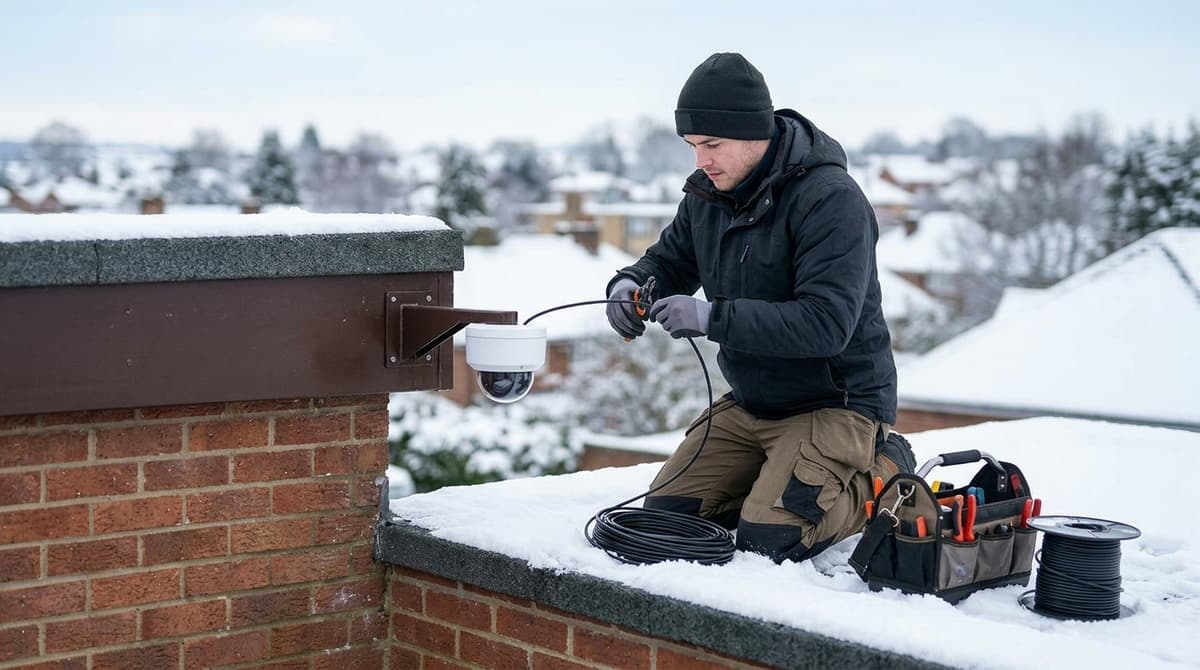
For CCTV cabling in winter, handle PVC-sheathed cable gently once temperatures drop below roughly 5°C, which is a working threshold rather than a hard limit. Let the cable warm before uncoiling, avoid tight bends (they can damage the inner cores with no visible sign, causing intermittent or lost signal), and keep joins to a minimum. Every join you do make should sit inside a weather-rated enclosure, and you should test each run before sealing anything so moisture isn't trapped in with a fault. Longer nights then mean re-tuning the camera, because frost and fog can bounce infrared light straight back at the lens and wash out the picture.
What changes when you run CCTV cabling in winter?
Cold stiffens PVC cable sheathing, so below roughly 5°C you should warm drums, uncoil them fully and avoid tight bends. That 5°C figure is a working threshold rather than a standard, so treat it as a prompt to take care, not a hard cut-off.
The risk is that a stiff cable can look undamaged while the conductors inside are not. Systemq's installation guidance notes that a tight bend can damage the inner cores with no visible sign, leaving an intermittent signal or none at all. That applies equally to coax and to CCTV network cabling.
Sequence for short daylight
- Do the outdoor pulls and fixings in the warmest part of the day, when the sheathing is most pliable.
- Move indoors once light or temperature drops, and use that time for first-fix terminations and testing.
Joins and testing
Aim for a single A-to-B run per camera wherever you can, because every termination is a future failure point. If a coax run genuinely has to be extended, an inline BNC female to female coupler joins two BNC-terminated cables, but it is still a join.
Test each run before you seal anything. Water can find a poor termination more easily in winter, and it is much easier to re-make a connection that is still dry and accessible.
How do you joint and seal outdoor CCTV cable so water stays out?
Avoid outdoor joins wherever you can. If one is unavoidable, put it in a weather-rated junction box or a gel-filled joint, and never leave a bare connector exposed to the weather.
Prodot Group's winter cabling advice stresses inspecting cable routes for wear or damage and fastening cables securely to walls or other surfaces so they aren't left exposed (Prodot Group). The article is written for Delhi and the NCR region, so I've used it only for these generic points, not for anything about UK winter conditions.
Coax joins
The BNC female-to-female coupler joins two BNC-terminated cables without re-terminating either end. It has a metal body, sits inline, suits RG59 and RG6, and works with analogue, HD-TVI, AHD and CVI. Neither the coupler nor tape makes the join watertight, so in winter put it inside a junction box rather than taping it to a wall.
Drip loops
Leave a downward loop in the cable just before it enters a camera, junction box or building. Water running along the sheath then drips off the lowest point of the loop instead of following the cable inside. Fix the loop so it can't sag into a puddle or onto the ground.
How do you run cable through cavity walls and windows in cold weather?
Drill through the wall angled slightly downward to the outside, put the cable in a sleeve, and seal both ends of the hole. In winter, keep the cable out of the cold, damp cavity itself.
Running CCTV cables in cavity walls
The steps for how to run CCTV cable through walls are short:
- Drill with a slight fall towards the outside, so water drains away from the building.
- Pass the cable through a sleeve or conduit that spans the cavity.
- Seal both ends of the penetration, and leave a drip loop outside so water doesn't track along the cable into the hole.
The cavity is cold and prone to damp, so cable left loose in it can collect condensation, which then runs along the sheath. A sleeve gives that moisture somewhere else to go. Keep joins out of the cavity too, so any connection stays somewhere you can reach it.
Cable through a window
Only use a purpose-made route for a CCTV cable through a window. Closing a sash or casement onto a bare cable, or trapping it in the frame seal, squashes it. A flattened cable can work on a mild day and then fail once the temperature drops.
Check coax length before you drill
The maximum RG59 run depends on the video format, since analogue (CVBS) and HD-over-coax (TVI, AHD, CVI) behave differently. It also depends on the camera and recorder you pair it with. Check both datasheets before you commit to a route.
How do you stop condensation and fogging inside the camera?
Seal the housing only when everything inside is dry, because moisture trapped at closing is what later condenses on the lens. Before you close it again, open the housing and check for water, condensation, ice or dirt.
On site, that comes down to a few habits:
- Don't open a housing or terminate connectors in rain or heavy mist. Wait for a dry spell or work under cover.
- Let the camera reach ambient temperature before you seal it, so you aren't closing warm, damp air into a cold case.
- Fit any desiccant the manufacturer supplies, and replace it if you reopen the unit.
Jennov lists lens fogging and icing among the standard winter faults, so inspect the inside of the housing at every cold-season service visit.
Very cold sites
Cameras with built-in heaters and extended operating ranges exist for extreme cold. Check the operating-temperature range on the datasheet against the coldest conditions at that location, not the average.
If a heated camera is PoE-powered, re-check the switch budget. The combined draw of every camera must stay under the switch's total PoE budget, so use the maximum power figure on each datasheet rather than the idle one.
How should night, IR and white-light settings change for winter?
Set a firm day/night threshold with a delay, switch to smart IR or capped exposure, and recheck storage, because winter nights run far longer.
Stop the dusk and dawn flip-flop
In midwinter, when nights run 16 hours or more, a camera that hunts between colour and mono mode at dusk and dawn will fill your footage with exposure jumps and noise. Raise the switching delay, widen the gap between the day-to-night and night-to-day thresholds, or use a fixed schedule where the camera allows it. Streetlights and passing headlights are the usual triggers, so judge the setting on site rather than from a bench test.
Deal with IR bounce-back
Fog, frost, rain and snow all scatter infrared straight back into the lens, leaving a washed-out white haze. Turn on smart IR or cap the exposure time and gain so the image doesn't blow out. Then check the mounting position: a camera set close to a wall, soffit or spider's web will bounce IR back even in clear weather, so move it or add a spacer bracket.
IR or white light?
CCTV lighting means the illumination that lets a camera see in the dark, either invisible infrared or visible white light. IR is covert and draws no attention, but it renders in mono. White light gives colour night images and acts as a visible deterrent, but it announces the camera and lights up everything in its path.
In the UK, white light spilling onto a neighbour's property can raise privacy and nuisance concerns, so treat that as a design consideration alongside the ICO's CCTV guidance rather than a settled legal position. Aim and shield the lamps accordingly.
Recheck storage
More hours in night mode typically means higher bitrates, since sensor noise is expensive to compress. After the first week of long nights, read the actual per-camera bitrate on the NVR and recalculate retention against disk capacity before December.