
cctv for dark winter evenings uk
CCTV for Dark Winter Evenings UK: Night Checks 2026
Most CCTV cameras can see in the dark, but showing movement is not the same as capturing a face or a number plate, and ProtectUK is clear that CCTV needs…
On this page
- Can CCTV cameras see in the dark, and where do they fall short?
- How do I run a dusk walk-through of my CCTV coverage?
- What causes glare and washed-out footage at night?
- Reflected infrared
- Bright lights in the frame
- Lens, distance and the lux claim
- How do I make CCTV better at night?
- Lighting
- Camera position
- Upgrades
- What is the best CCTV for night vision, and how should I specify it?
- Matching the mode to the scene
- Specifying it
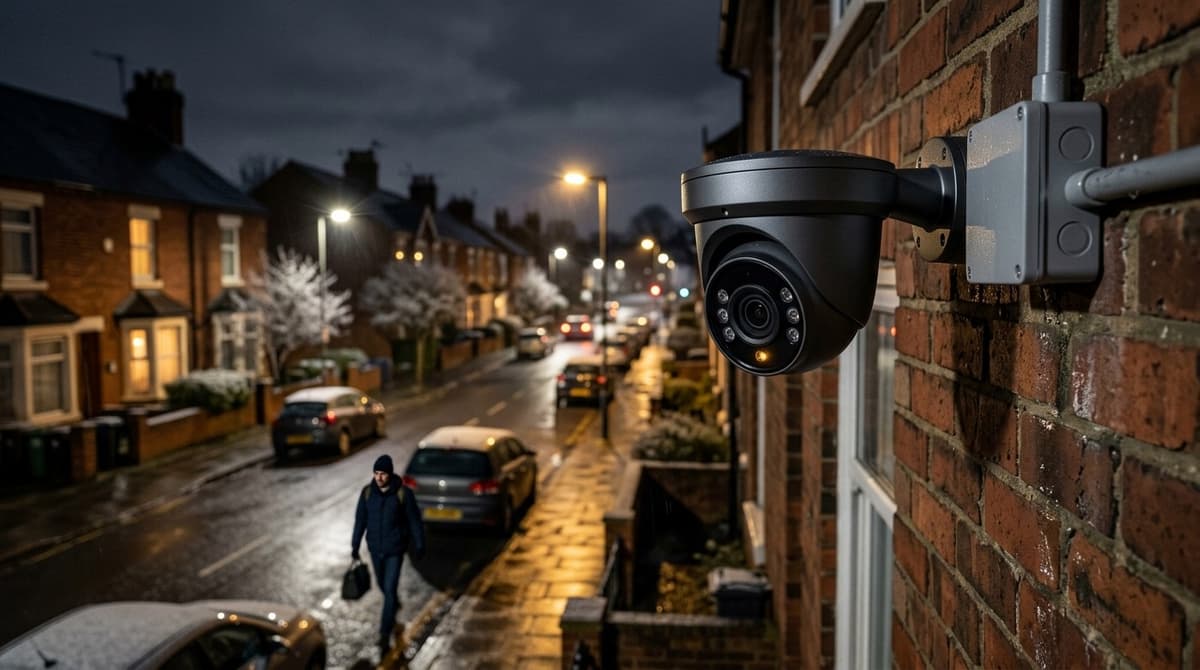
Most CCTV cameras can see in the dark, but showing movement is not the same as capturing a face or a number plate, and ProtectUK is clear that CCTV needs sufficient light to be effective 24 hours a day. The clocks went back on Sunday 25 October, so many sites now spend their working hours in the dark, which makes this the right week to check what your cameras actually record. Walk the site from dusk into full dark, review the footage from each camera, then fix gaps in a set order: lighting first, camera position second, and camera upgrades last.
Can CCTV cameras see in the dark, and where do they fall short?
Yes, in the sense that infrared and low-light modes show movement, but identifying a face or reading a plate still needs usable light. ProtectUK says plainly that CCTV needs sufficient light to be effective 24 hours a day.
The clocks went back on Sunday 25 October, so many sites now spend their working hours in darkness. A system that looked fine at a summer handover is only now being tested properly.
The limits come from the hardware. A small sensor collects little light per pixel, so the camera lengthens the exposure and raises gain. That brings noise and motion blur on anything moving. A narrow lens aperture restricts the light reaching the sensor, and infrared illumination only carries so far before the scene drops into black, while nearby surfaces reflect it back and burn out.
These limits explain most of the complaints behind searches like "CCTV nights" or "CCTV in the dark":
- driveways that render as flat grey
- people who appear as glowing white figures with no facial detail
- number plates that are visible but unreadable
- a flood of motion alerts from rain and insects crossing the infrared glow
A "CCTV dark room" complaint is usually the same issue indoors: with no ambient light, the picture depends entirely on the camera's own infrared.
How do I run a dusk walk-through of my CCTV coverage?
Walk the site at dusk and again in full dark, compare what you see with recorded footage, and log every camera that cannot show a face or plate. This is general installer practice rather than a formal test.
- Visit twice. Go at dusk, when ambient light is fading and cameras switch modes, then again once it is properly dark.
- Review recordings. The live view on a bright phone screen flatters the picture, so play back footage from the same spot after dark.
- Check each camera's mode. Note whether it is on infrared, white light or colour night, and whether the mode matches what the scene needs.
- Clean lenses and domes. Dirt and condensation scatter light at night far more visibly than in daylight.
- Clear vegetation and webs. Branches move and trigger alerts, and a web across the lens can bounce infrared back as a bright blur.
- Flag any camera whose subject sits beyond its IR reach. If the person or vehicle you care about is further away than the illuminator carries, the camera needs repositioning or added light.
Record each camera in a short checklist:
- Location and mounting height
- Target (door, gate, plate approach, yard)
- Face or plate identifiable after dark: Y/N
- Fix required (clean, trim, re-aim, add lighting, change mode)
Remotely monitored sites need extra care. Farsight Security, an alarm receiving centre, notes in its September 2026 winter-readiness advice that an operator needs a clear view the moment an alarm arrives. ProtectUK likewise says CCTV needs sufficient light to be effective 24 hours a day.
What causes glare and washed-out footage at night?
Glare and washed-out night footage usually come from light bouncing back into the lens, or from one bright source skewing exposure.
Reflected infrared
The camera's own IR illuminator is the usual culprit. Walls, soffits, fascia boards and cobwebs close to the lens return a hot, white glow that overexposes the centre of the frame. Wet paving and glossy surfaces after rain do the same with any light source.
Bright lights in the frame
A porch lamp or floodlight shining towards the camera pushes the exposure down, so the person walking through the scene turns into a silhouette. Strong lights inside the picture make everything else look darker by comparison.
A lower, even level of light generally beats one harsh source. Installers often work to a 3:1 bright-to-dark ratio as a rule of thumb, though it is guidance rather than a standard. ProtectUK notes that dusk-to-dawn lighting sited out of reach gives ample illumination with few shadows.
Lens, distance and the lux claim
A wider lens spreads the available light across more scene, so each part of the image gets less. Distance cuts both IR strength and facial detail. Treat the lux rating on the box with caution, because test conditions vary and it says little about how the camera copes with your site's lighting.
How do I make CCTV better at night?
Fix the lighting first, then the camera's position and angle, and only then pay for new cameras. That order goes from cheapest to dearest, and the early steps often solve the problem on their own.
Lighting
ProtectUK recommends high-efficiency, low-energy lighting on a photo-electric (dusk-to-dawn) switch, sited out of reach, which gives ample illumination with few shadows. It adds that a lower continual level deters better than sudden bright light, and that statutory light-nuisance rules apply, so keep spill off neighbours' windows.
For identification, one installer guide suggests around 30 lux measured vertically at face height, CRI 80+ and up to about 4000K. Treat that as a rule of thumb rather than a standard, and confirm it with a lux meter on site.
Camera position
Lower the angle so the lens sees faces rather than the tops of heads. Move the camera off the light source to cut glare, and shorten the distance to the subject so the same sensor puts more pixels on the face.
Upgrades
If the scene is still poor, consider colour night vision or white-light/hybrid cameras. These add visible light to the image rather than relying on monochrome infrared alone. White-light models raise the same neighbour-nuisance question as any floodlight, so aim them carefully and check the result after dark.
What is the best CCTV for night vision, and how should I specify it?
No single type is best: pick infrared, white-light colour or hybrid to suit the scene, then check four specs on the product page.
Matching the mode to the scene
- Infrared (IR): discreet and covert, with no visible light to tell anyone they are being watched. The picture is monochrome, so clothing and vehicle colours are lost.
- White light / colour night: gives the colour detail people look for when searching for CCTV night colour, but it needs light to work. That light can annoy neighbours, and ProtectUK lists statutory light-nuisance requirements among the things to weigh. It also notes that CCTV needs sufficient light to be effective around the clock.
- Hybrid: switches between the two modes, which suits a property where a covert IR view is the default but colour is wanted when something triggers.
Specifying it
Read four lines on the product page: sensor size, lens aperture, IR range and the IP and IK ratings. A larger sensor and a lower f-number admit more light. IR range is a ceiling, so compare it with the real distance to your target. IP covers dust and water ingress, and IK covers impact.
Cost is driven by resolution, channel count, PoE budget and night mode. Cheap outdoor cameras usually give up low-light performance to hit the price, so judge them on the specs, not the price tag.
For fitting, use an independent accredited installer (NSI or SSAIB) of your choosing. NSI companies work to NCP 104 for CCTV, according to NSI.
Once you have a spec, you can open a trade account with CCTV Line to see live pricing and stock on cameras, recorders and PoE switches.