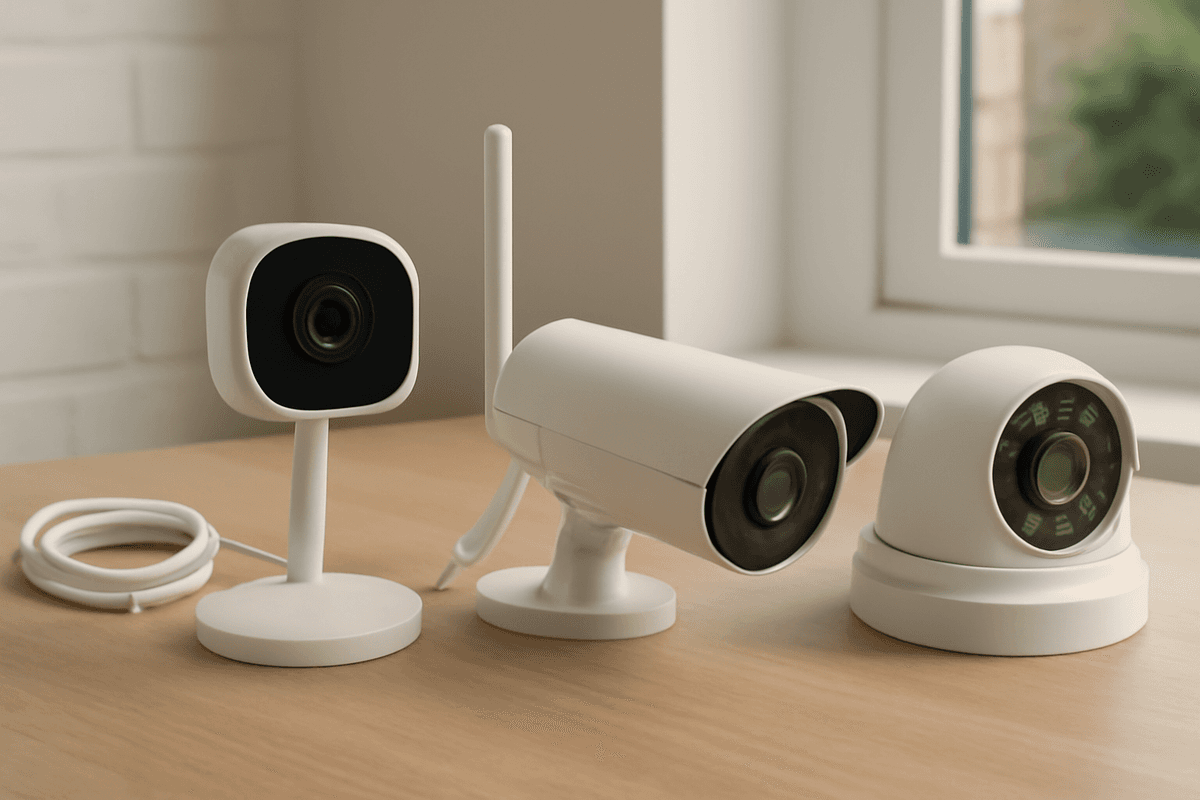
The single most important decision you'll make before buying a home CCTV camera isn't brand or resolution — it's whether your property can take a cable. Wired PoE cameras deliver rock-solid, subscription-free recording that no Wi-Fi dropout or flat battery can interrupt, making them the right default for any homeowner who can run a Cat5e or Cat6 cable; wireless systems earn their place in rented flats, listed buildings, or outbuildings where drilling simply isn't an option. Get that foundational choice right, and every other decision — indoor or outdoor, resolution, night vision type — follows a clear, logical path.
Is Wired or Wireless CCTV Right for Your Property Type?
Wired PoE is the right choice for any owned property where you can run cable — it's permanent, congestion-free, and eliminates battery management entirely. Wireless suits renters or listed buildings where drilling is restricted, but its reliability lives and dies by your router's signal quality.
The Core Decision: Ownership and Cable Access
The single most useful question to ask before specifying a cctv camera for home use is whether you can physically run cable through the fabric of the building. If yes, a PoE (Power over Ethernet) system is almost always the superior solution. A single Cat5e or Cat6 run carries both power and data to each camera — no separate power supply at the mounting point, no RF interference, no competing with neighbouring Wi-Fi networks.
PoE standards matter here. IEEE 802.3af delivers up to 15.4 W per port, sufficient for the vast majority of fixed IP cameras. IEEE 802.3at (PoE+) doubles that to 30 W per port, which you'll need for PTZ cameras or units with built-in heaters. Check your NVR's PoE budget before specifying — an 8-port switch rated at 80 W total cannot simultaneously run eight cameras drawing 15 W each.
UK Property Reality: Planning Your Cable Runs
In a typical UK terraced or semi-detached house, the front door and driveway camera positions are commonly 15–20 m of cable run from the consumer unit or the location where you'd site the NVR. An 8-port PoE NVR handles this cleanly, and the cable run is well within comfortable limits.
Detached properties are a different matter. Rear gardens, outbuildings, and gated driveways can push runs beyond 30 m — sometimes significantly further. Cat6 Ethernet has a hard limit of 100 m before signal degradation becomes a problem, so plan every run on a scaled floor plan before you buy the recorder. If you're pushing past 80 m on a single run, factor in the patch leads at each end and keep your total under the 100 m ceiling, or consider armoured cable for added protection in exposed outdoor routes. Understanding the cost of installing CCTV across different property types helps you budget for the full scope of work before installation begins.
Front-to-rear runs in a two-storey semi often mean routing through a loft void, which is the cleanest concealed path. On solid-wall Victorian terraces, surface trunking or a single core drill through the eaves is usually the only practical option. Either way, a wired PoE system rewards the upfront installation effort with a setup that simply works, indefinitely, without any ongoing maintenance.
Wireless CCTV: Where It Makes Sense — and Where It Doesn't
Wireless cctv cameras for home use are the practical answer in three specific scenarios: rented properties where the landlord won't permit drilling, listed buildings where planning consent is required for any penetration of the structure, and temporary installations where the system needs to move with you.
The trade-off is real and worth stating plainly. A wireless camera's reliability is entirely dependent on the 2.4 GHz or 5 GHz signal it receives at the mounting point. The 2.4 GHz band has better range and wall penetration but is heavily congested in dense UK residential streets where every neighbour's router, smart TV, and baby monitor competes for the same spectrum. The 5 GHz band offers cleaner throughput but shorter range — mounting a camera 15 m from the router through two brick walls will test it.
Battery-powered wireless cameras introduce a further operational overhead: cells need replacing or recharging on a cycle that varies from a few weeks to a few months depending on motion frequency and temperature. In a UK winter, cold temperatures reduce lithium battery capacity noticeably. If you choose wireless, mains-powered wireless cameras (plugged in at the mounting point, transmitting data over Wi-Fi) are a better long-term proposition than battery units for any permanently monitored position.
Hybrid Approaches for Awk
Indoor vs Outdoor: Matching Camera Spec to Threat Location
The single most important decision when choosing a cctv camera for home use is whether it sits inside or outside — because the specs that matter differ completely between the two environments. Get this wrong and you'll be replacing hardware within a season.
IP Rating Is Non-Negotiable for Any External Camera
Any camera mounted outdoors must carry a minimum IP66 rating under IEC 60529: that means fully dust-tight and protected against powerful water jets from any direction. IP67 — which adds temporary immersion tolerance to 1 metre — is the realistic standard on quality outdoor units.
Indoor cameras are typically rated IP20 to IP44 — splash-resistant at best. Fit one under a soffit that catches driving rain and the PCB will corrode within months; UK weather doesn't give you a grace period.
Don't be misled by "weatherproof" marketing language that doesn't quote an IEC rating. If a spec sheet doesn't state IP66 or IP67, assume it isn't rated for full outdoor exposure and treat it as an indoor unit.
Night Vision by Location: Colour vs Infrared
The right illumination technology depends on how much ambient light your camera location actually receives — not on which option costs more.
Front door and porch (ambient streetlight present):
A full-colour camera is the best fit here. White LEDs deliver 24-hour colour imaging, and a sensitive low-light sensor paired with a wide-aperture lens can produce usable colour footage in conditions that look pitch black to the human eye.
Rear garden or side access with zero ambient light:
White-light LEDs will illuminate the scene but are visible to neighbours and can cause nuisance complaints. Infrared is the discreet alternative — an IR camera with around 30 m of IR range covers a typical rear garden without emitting visible light.
| Location |
Ambient Light |
Recommended Tech |
Example Spec |
| Front door / porch |
Streetlight present |
Full-colour + white light |
20 m white light |
| Rear garden / side gate |
None |
IR |
30 m IR |
| Driveway (mixed) |
Variable |
WDR + colour or IR |
130 dB WDR |
Resolution and WDR Outdoors vs Indoors
Outdoor cameras face high-contrast scenes — a car's headlights against a dark driveway, or a doorstep in direct sun with a shadowed face. Wide Dynamic Range (WDR) is essential; 130 dB true WDR with 3D DNR handles these extremes without blowing out highlights.
Indoor cameras operate in controlled lighting and rarely need more than 60–80 dB WDR. Spending on 130 dB WDR for an internal hallway camera is unnecessary — that budget is better directed at storage or additional coverage.
A 5 MP camera (2560 × 1944) with a 2.8 mm fixed focal length gives a wide field of view suited to perimeter monitoring and entry points. For indoor spaces like hallways or living areas, 2 MP (1920 × 1080) often suffices, keeping file sizes manageable while maintaining facial recognition capability at typical indoor distances. The key is matching resolution to your actual monitoring needs rather than chasing megapixels for their own sake.
Front Door, Back Garden, Driveway: Which Camera Spec for Each Zone?
Match the camera specification to the zone's primary purpose — facial recognition at the door, plate capture on the driveway, wide-area detection in the garden. Getting this wrong means either over-spending on resolution you can't use or under-specifying and missing the detail that matters.
Front Door and Entrance
The front door demands face-level detail and high dynamic range above all else. Morning and evening light behind a visitor creates a strongly backlit scene; without true WDR, you get a silhouette rather than a face.
A 5 MP turret or bullet camera with a 2.8 mm fixed lens, mounted at 2.5–3 m, will capture a usable facial image within roughly 3 m of the lens — sufficient for most front-door geometries. The spec to look for here: 5 MP (2560 × 1944), 2.8 mm fixed lens, 130 dB true WDR, 3D DNR, and IP67 weatherproofing, with white-light illumination for full-colour night footage.
The 130 dB WDR rating is the key number — it handles the contrast range between a bright sky and a shaded doorstep without washing out the face. Cheaper cameras rated at 90–100 dB WDR will struggle with this specific scenario.
If you also want remote answering capability, a video intercom system replaces or supplements the standalone camera. An indoor station paired with a compatible door station delivers two-way video and audio communication via a touchscreen, and the intercom can work as a complete system on its own — no separate NVR required. This suits households where the priority is speaking to a caller remotely via a smartphone or indoor panel, not just recording.
Mount the door camera so the lens sits at approximately head height (1.7–1.8 m) when the camera is angled downward from a 2.5–3 m fixing point. Avoid positioning directly above the door frame — the steep downward angle reduces the usable facial area in frame.
Driveway and Vehicle Recognition
Plate reading requires a minimum pixel density of roughly 250 pixels per metre at the point of capture — this is the practical threshold for legible characters in post-event review. At 5 MP with a 2.8 mm lens, a camera covering a single-car-width driveway can achieve this out to approximately 6 m.
For driveways longer than 10 m, a 2.8 mm fixed lens will not deliver sufficient pixel density at the capture point. Switch to a varifocal lens — a 2.7–13.5 mm motorised zoom allows you to frame tightly on the gate or road entry point and maintain the 250 px/m density at greater distances.
Mount height on a driveway camera matters for plate angle. A camera fixed too high introduces a steep downward angle that foreshortens the plate and reduces legibility. Aim for a mounting height of 2–2.5 m on a driveway post or wall bracket, angled to capture the front plate as a vehicle approaches rather than the roof.
A dedicated ANPR (Automatic Number Plate Recognition) camera uses an integrated IR illuminator tuned to the plate's retroreflective surface and a fast shutter speed to freeze motion — standard colour cameras can miss plates on vehicles travelling above 20–25 mph. For a residential driveway where vehicles move slowly, a quality 5 MP camera with WDR is usually adequate; for a busier entrance or a property near a road, a dedicated ANPR unit is worth the additional cost.
UK Legal Obligations Every Home CCTV Installer Must Know
The moment your camera captures anything beyond your own property boundary — a neighbour's driveway, the public pavement, or a shared access path — you become a data controller under UK GDPR. That triggers real legal obligations enforced by the Information Commissioner's Office (ICO), and they apply to homeowners just as much as businesses.
UK GDPR and the ICO's Domestic CCTV Code
The ICO's domestic CCTV code of practice is the primary compliance document for home installers in England, Scotland, and Wales. It is not advisory — the ICO has the power to issue enforcement notices to private individuals, and failure to comply can result in formal action.
The key trigger is "beyond your boundary." A camera covering only your own front door, entirely within your curtilage, falls under the domestic exemption and sits outside UK GDPR. As soon as the field of view extends to the pavement, a shared driveway, or a neighbour's garden, the exemption disappears.
In practice, most wide-angle cameras fitted to the front of a house will capture at least some public space. A 2.8 mm fixed lens — the most common focal length shipped on home CCTV cameras — produces a wide field of view that almost always reaches the pavement at typical mounting heights of 2.5–3 m.
Signage: A Legal Requirement, Not a Courtesy
The ICO code requires clearly visible signage wherever a camera operates. Signs must tell passers-by that CCTV is in operation, identify who operates it, and provide a contact point for data subject requests.
Legibility at the point of capture is the standard. For a front-of-property camera mounted at 2–3 m, an A5-sized sign is typically the practical minimum to meet that test. Laminated signs fade; weatherproof A5 or A4 housings rated to at least IP54 are worth the small extra cost.
The sign must be positioned so that someone entering the monitored area sees it before they are fully captured — not after. A sign fixed to your front door, invisible from the pavement, does not satisfy the requirement.
Permitted Development and Neighbour-Facing Cameras
Installing a camera on the exterior of a house in England is generally permitted development — no planning permission is required, provided the installation does not materially affect the external appearance of a listed building or fall within a designated area with additional restrictions (Article 4 directions are common in conservation areas).
However, permitted development status covers the structure, not the data. A camera that is lawfully installed under planning rules can still breach UK GDPR if it captures a neighbour's property without justification. These are two entirely separate legal frameworks, and confusing them is one of the most common mistakes home installers make.
Deliberately positioning a camera to monitor a neighbour's home, garden, or windows — rather than incidentally capturing a shared boundary — can also constitute harassment under the Protection from Harassment Act 1997, separate from any ICO action.
Data Retention and Subject Access Requests
Under UK GDPR, you must not keep footage for longer than necessary. The ICO's guidance suggests 28–31 days as a reasonable retention period for most domestic systems, after which recordings should overwrite automatically. Continuous recording at 1080p across four cameras generates roughly 80–120 GB per day depending on compression settings; a 2 TB HDD covers approximately 14–18 days at that rate, so storage sizing and retention policy need to be planned together.
If a neighbour or passer-by submits a Subject Access Request (SAR), you are legally required to respond within one calendar month and provide any footage in which they are identifiable. Refusing or ignoring a SAR is an ICO enforcement trigger.
Practical Steps to Stay Compliant
- Angle cameras inward where possible — tilt the