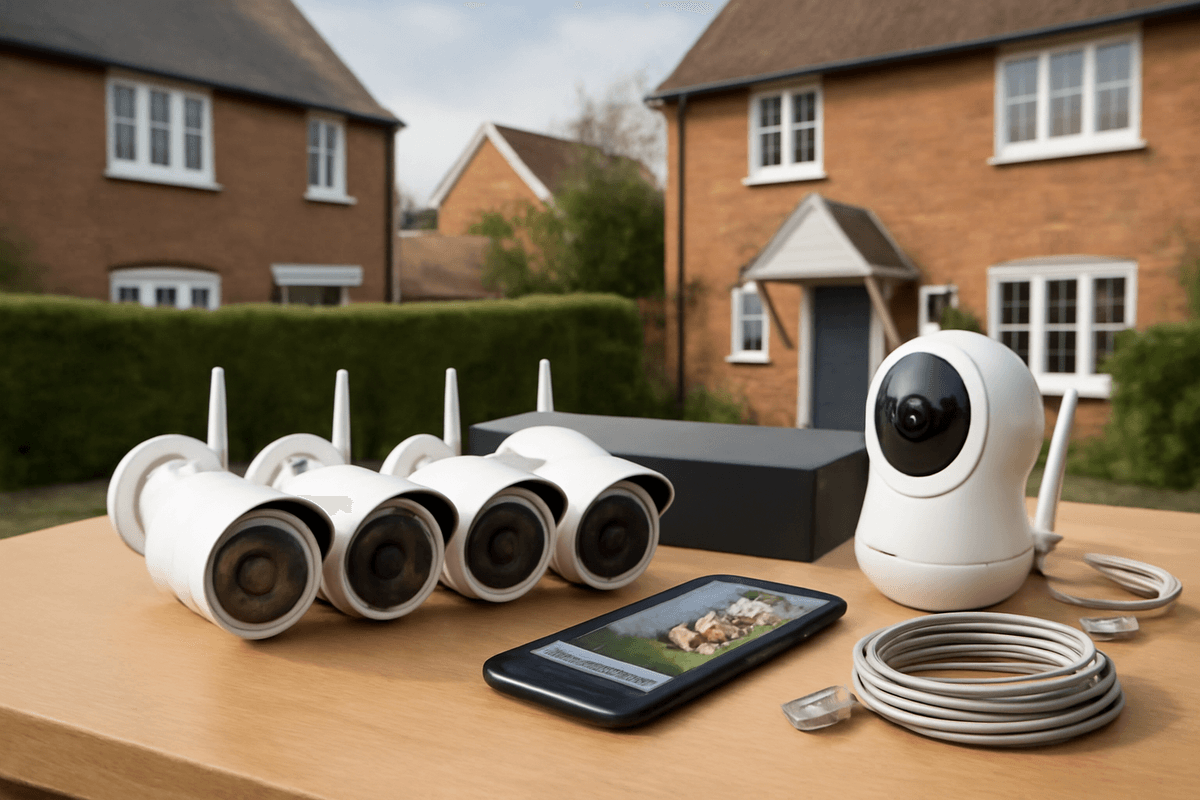
The CCTV system that's right for your home depends far less on brand or budget than on one factor most buyers overlook: the property itself. A four-camera wired PoE kit that perfectly secures a detached house will leave a terraced home legally exposed and a rural smallholding dangerously under-covered — while being complete overkill for a first-floor flat. Get the property-type match wrong first, and no amount of 3K resolution or cloud storage will fix it.
What CCTV system does your UK home actually need? (The property-type framework)
The right cctv home system depends entirely on your property type — camera count, cable runs, PoE budget, and legal exposure all differ significantly. A four-camera kit that suits a detached house is overkill for a ground-floor flat and wholly inadequate for a rural smallholding with outbuildings.
The two technology paths in 2026
UK buyers face a clear fork: wired IP/PoE with an NVR or wireless/Wi-Fi cameras with cloud or local storage.
Wired IP/PoE NVR is the right choice for permanent installs. A single Cat5e or Cat6 cable carries both power and data to each camera, the NVR records continuously, and there is no dependency on your broadband router. The trade-off is cable runs — in a two-storey detached house you may be pulling 20–40 m per camera through voids and loft spaces.
Wireless/Wi-Fi cameras suit flats, rentals, and anyone who cannot chase cables. Installation disruption is minimal. The honest trade-offs: Wi-Fi congestion in a dense block of flats degrades reliability, and every camera draws from your router's available bandwidth. If you add more than four or five high-resolution cameras, you will need to think carefully about network architecture.
PoE budget — the number most buyers ignore
Every 802.3af PoE port delivers a maximum of 15.4 W. A typical 4K IP camera draws 7–12 W; add PTZ or built-in IR floodlights and you can approach that ceiling quickly. An 8-port PoE NVR with a 60 W total power budget cannot simultaneously power eight cameras at 12 W each (96 W required) — you will need a separate PoE switch with a higher aggregate budget, or you will get random camera dropouts under load. Always add up the per-camera draw from the datasheet before you buy the recorder.
Property-type framework
| Property type |
Recommended camera count |
Technology |
Key considerations |
| Ground-floor flat / maisonette |
1–2 |
Wi-Fi or single PoE injector |
Minimal cable runs; ICO rules apply if cameras face shared hallways |
| Mid-terrace / semi-detached |
3–4 |
Wired PoE NVR |
Front door, rear garden, side access; 4-channel NVR with 40–60 W PoE budget |
| Detached house |
4–6 |
Wired PoE NVR |
Full perimeter; 8-channel NVR recommended for headroom; cable runs up to 100 m (Cat5e limit) |
| Rural smallholding / large plot |
8–16+ |
Wired PoE NVR + fibre or managed switch |
Outbuildings, gate, yard; requires PoE switch with 150 W+ budget; consider 4G backup for remote access |
For a flat, a two-camera Wi-Fi system covering the front door and any private outdoor space is proportionate. Fitting a six-camera NVR system in a one-bedroom flat is not just unnecessary — the additional cameras almost certainly point at communal areas, which triggers UK GDPR obligations immediately.
For a detached house, a four-channel NVR is the entry point, but an eight-channel unit costs only marginally more and gives you room to add cameras as you identify blind spots after the first winter. Buying headroom upfront is almost always cheaper than replacing a recorder eighteen months later.
The UK legal baseline — every property type shares it
Regardless of property type, if your cameras capture footage of any public space or a neighbour's property — even a sliver of pavement or an adjacent driveway — the
Data Protection Act 2018 and UK GDPR apply to your system. This means you must have a lawful basis for processing that footage, typically legitimate interests (protecting your property), and you must inform anyone whose image is captured—usually via a notice at your property entrance. You cannot use footage for purposes beyond security, such as monitoring staff or public behaviour unrelated to your premises. Failure to comply can result in enforcement action from the Information Commissioner's Office.
Terraced and Semi-Detached Houses: Maximum Coverage with Minimum Cable Runs
For the most common UK property types — terraced and semi-detached houses account for roughly 60% of the housing stock — a well-planned 3–4 camera IP CCTV system covers every meaningful entry point without excessive cable runs. The key is treating the loft as your central hub and planning every cable route before you drill a single hole.
The Legal Reality: Party Walls and Shared Curtilage
This is where terraced and semi-detached installations differ from detached properties, and where most DIY guides fall short. Almost every camera angle on a terrace risks capturing a neighbour's garden, driveway, or doorstep — all of which count as their private curtilage under UK GDPR and the ICO's domestic CCTV guidance.
The ICO's position is unambiguous: angle cameras to minimise capture of neighbouring property, and where some overlap is genuinely unavoidable, apply privacy masking in your NVR software to black out the affected zone. This isn't optional — operating a system that routinely records a neighbour's garden without mitigation can constitute a data protection breach, regardless of whether the system is purely domestic.
Privacy masking is a standard feature in any competent NVR interface. Set it up at commissioning, document that you've done it, and review it if you reposition a camera. A visible ICO-compliant signage notice at the front boundary — stating that CCTV is in operation — is also strongly advisable even for domestic systems, particularly on terraces where footfall past your frontage is constant.
Recommended Camera Configuration
3–4 cameras covers a typical UK terrace or semi-detached property:
| Position |
Camera Type |
Minimum IP Rating |
Primary Threat |
| Front door / gate |
Varifocal bullet or turret |
IP67 |
Doorstep theft, distraction burglary |
| Rear garden |
Wide-angle dome |
IP66 |
Rear-access burglary |
| Side return / shared alley |
Bullet or turret |
IP66 |
The most overlooked weak point |
| Driveway (semi-detached) |
Varifocal bullet |
IP66 |
Vehicle theft, catalytic converter theft |
The side return or shared alley is the camera position that competing guides consistently ignore. On a mid-terrace it covers the only route between front and rear; on a semi-detached it covers the gap between your property and the neighbour's, which is statistically a common point of rear-access entry. One camera here does double duty and costs nothing extra in hardware.
For the front position, a varifocal lens — typically 2.8–12 mm — lets you set the field of view precisely at commissioning to avoid capturing the neighbour's front door. A fixed 2.8 mm wide-angle is tempting on price, but on a terrace the angle is almost guaranteed to sweep next door's step. Spend the extra and fit varifocal.
IP67 is the minimum for any camera mounted on an exposed soffit or fascia. IP66 is acceptable for cameras under a porch or rear overhang. Both ratings are defined under IEC 60529; IP67 adds full temporary immersion protection over IP66's high-pressure jet resistance — relevant on an exposed front elevation facing prevailing UK weather.
Cable Discipline: The Loft-Hub Approach
On a mid-terrace, a single Cat5e or Cat6 home-run from a loft-mounted PoE NVR to each camera position is the cleanest and most future-proof method. The loft sits directly above all three or four camera positions, so cable drops are short — typically 4–8 metres per run — and the NVR stays out of sight, in a dry environment, with easy access for maintenance.
Route each cable through the ceiling void, down through an internal wall cavity, and out to the camera via a small conduit or grommet. This keeps wiring concealed and protected from weather and physical damage. The loft-hub approach also simplifies future upgrades: adding a fifth camera or swapping to higher-resolution models requires only running a new cable drop, without disturbing existing infrastructure. For mid-terraces with good loft access and insulation already in place, this method offers the best balance of aesthetics, reliability, and scalability.
Detached houses and bungalows: perimeter coverage and PoE budget planning
A detached property with a driveway, garage, and rear garden needs a minimum of 4–6 cameras for genuine perimeter coverage — not the 2–4 that many entry-level kits are marketed around. Bungalows introduce an extra complication: no loft for NVR placement, making a utility room, integral garage, or purpose-built cabinet the standard alternative.
How many cameras does a detached house actually need?
The honest answer is six, once you account for every meaningful approach and elevation. Here's how that breaks down for a typical detached UK property:
| Position |
Camera type |
Notes |
| Driveway / gate |
ANPR-capable varifocal |
Minimum 2 MP at 850 mm plate width; 4 MP+ preferred |
| Front door |
Wide-angle turret or dome |
Covers the threshold and immediate path |
| Left side elevation |
Turret, IP67 rated |
Most-missed position in generic guides |
| Right side elevation |
Turret, IP67 rated |
Most-missed position in generic guides |
| Rear garden |
Wide-angle, IR or white-light |
Covers patio doors, outbuildings, rear gate |
| Garage (exterior) |
Turret or bullet |
Covers garage door and any side access |
Four cameras covers the minimum — driveway, front door, and both sides — but leaves the rear garden and garage unmonitored. Six is the professional standard for a property with a separate garage and any rear access point.
Driveway and ANPR: resolution is non-negotiable
For a road-facing driveway camera to capture a usable plate, you need the number plate to occupy at least 850 mm of image width at the point of capture. At 2 MP (1920 × 1080), that's workable only at short range with a correctly aimed lens. At 4 MP or above — such as 3K CMOS cameras running at 2960 × 1665 — you have meaningful headroom to capture plates further down the drive or at an angle.
A varifocal lens (typically 2.8–12 mm) gives the installer flexibility to frame the capture zone precisely. Fixed wide-angle lenses are fine for general coverage but rarely deliver reliable ANPR beyond 4–5 metres.
Side elevations: the most-missed positions
Side elevations are consistently omitted from competitor installation guides, yet they are the primary access route for opportunistic intruders at the majority of UK detached properties. A camera on each gable end, positioned under the eaves and angled down at roughly 30–45°, covers the full run of the side passage and any gate into the rear garden.
IP67-rated turret cameras are the practical choice here — fully weatherproof, low-profile against the brickwork, and less susceptible to wind vibration than bullet cameras on extended brackets. Aim for a minimum illumination rating of 0.001 lux or better if there is no side-passage lighting; white-light models eliminate the IR colour-cast problem entirely.
PoE budget: doing the maths properly
This is where many DIY and budget installs quietly fail. Six turret cameras drawing approximately 6 W each produces a total load of 36 W. An 8-port 802.3af switch rated at 60–80 W total handles that comfortably, with 20–44 W of headroom for a seventh or eighth camera later.
The problem is cheap unmanaged PoE switches. Many budget units rated at 60 W on the label will derate significantly under sustained load — thermal throttling can reduce available power to 40 W or less, causing cameras to reboot intermittently or fail to initialise in cold weather. For any professional installation, specify a managed PoE switch with active power monitoring and thermal management, or better still, a 802.3at (PoE+) unit rated for at least 95 W total output. The extra cost is negligible compared to the support calls and site revisits caused by intermittent power failures. Always request the actual power budget datasheet from the manufacturer, not just the marketing label, and add a 20% safety margin to your calculated load.
Flats, Apartments, and Leasehold Properties: Permissions, Shared Spaces, and Wireless-First Installs
For leasehold flats, a wireless home CCTV system of one or two cameras is the right starting point — not a wired multi-camera NVR. Three constraints that most guides ignore make this the only practical approach: freeholder consent, shared-space data law, and the physical reality of communal buildings.
Why Leasehold is a Different Problem
Most CCTV buying guides — including those from Swann, CCTVKits, and Screwfix — treat home CCTV as a freehold problem. They assume you can drill wherever you like, run cable through the eaves, and mount cameras on the external wall. Leaseholders cannot do any of that without explicit written consent from the freeholder or management company.
Your lease almost certainly classes external walls, the roof space, and communal areas as the freeholder's property. Fixing a camera bracket, drilling for a cable gland, or mounting anything on the building's façade is a breach of the lease in the majority of cases — regardless of how small the fixing is.
Getting Consent Before You Buy Anything
Write to the freeholder or managing agent before purchasing any equipment. Request written consent, describe exactly what you intend to install, where it will be positioned, and confirm it will be battery-powered with no external fixings. Some management companies have a standard licence for this; others will refuse outright.
Do not rely on verbal permission. If you install without consent and the freeholder objects, you may be required to remove the system at your own cost and make good any damage. That risk makes wireless, non-invasive kit the only sensible default.
Shared Spaces and the ICO Data-Controller Issue
Communal corridors, stairwells, entrance lobbies, and car parks in a managed block are almost certainly already covered by the building's own CCTV system, operated by the freeholder or management company as a separate data controller under UK GDPR. Pointing your own camera into those spaces creates a serious legal problem: you become a joint or competing data controller for footage of your neighbours and visitors, with all the obligations that entails — privacy notices, retention limits, subject access requests.
The ICO's domestic CCTV guidance is clear that the domestic exemption (which removes most UK GDPR obligations for purely home use) does not apply once your camera captures footage beyond your own property boundary. A camera covering a shared corridor captures footage of people who have no relationship with you, which takes you outside that exemption immediately.
The Correct Configuration for a Flat
One to two cameras maximum is the right scope for a flat-based home CCTV system.
| Position |
Recommended approach |
What it covers |
What it avoids |
| Front door |
Internal-facing, positioned inside the flat's own threshold |
Your hallway, packages left at your door |
The communal corridor and neighbours' doors |
| Balcony or private garden |
Window-mounted or balcony-rail-mounted, angled down |
Your private outdoor space only |
Neighbouring balconies, public pavement |
An internally-mounted camera covering your own hallway — pointed at your front door from inside — is the cleanest solution legally. It records anyone entering your flat, captures the threshold area, and never captures the communal corridor at all. This keeps you firmly within the domestic exemption.
If you have a private balcony or ground-floor garden that forms part of your lease, a second camera covering that space is reasonable. Angle it downward to avoid capturing neighbouring properties or the public street beyond your boundary.
Why Wireless and Battery Systems Are the Practical Choice
Wireless battery cameras require no drilling of external walls, no cable runs through communal areas, and no modifications to the building fabric. They can be mounted on internal window frames, door frames, or balcony railings with adhesive or small reversible fixings — the kind that fall within most
tenancy agreements and rental property restrictions. This makes them ideal for flat dwellers, renters, and anyone reluctant to commit to permanent installations. Beyond the practical advantages, wireless systems offer genuine flexibility: cameras can be repositioned seasonally, moved between properties, or upgraded without the expense and disruption of rewiring. Battery longevity has improved significantly, with most modern systems delivering 3–6 months of operation between charges depending on activity levels and environmental conditions.
Related products from our own range: