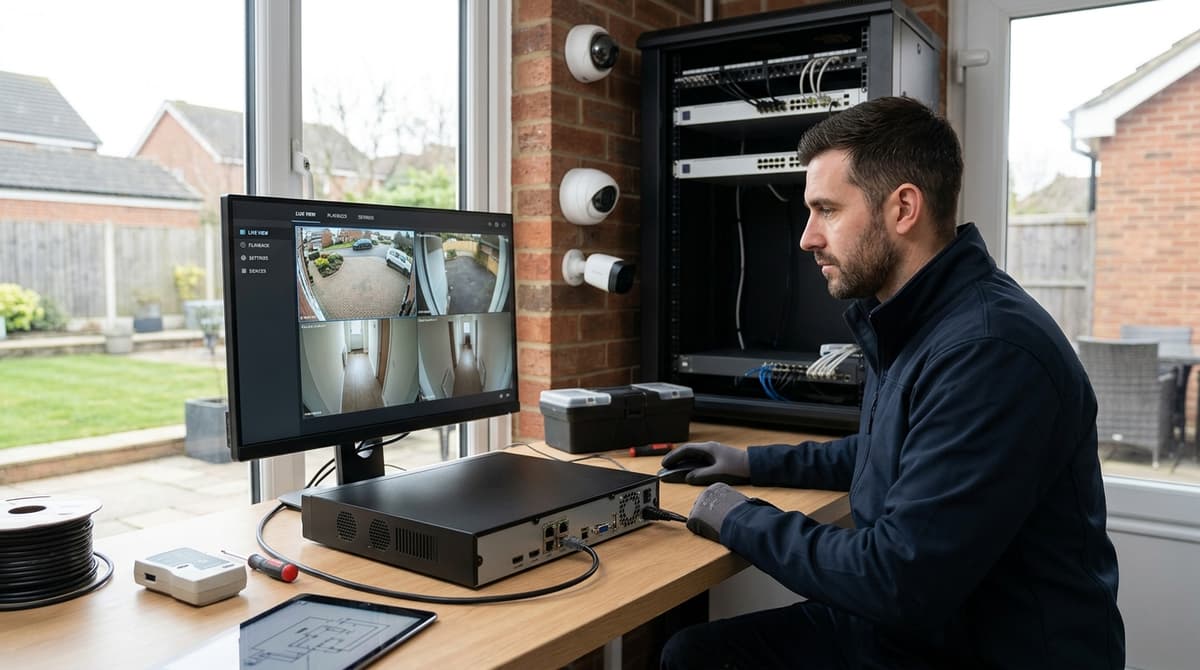
A Hikvision NVR is a network video recorder that records IP cameras, decoding H.265/H.265+ streams and handling storage, remote access and — on newer ranges — onsite AI analytics; some models, including several in Hikvision's own range, have built-in PoE ports that power the connected cameras, while others (such as WiFi-only models) do not. The right model turns on channel count, built-in PoE budget where fitted, and total megapixels to decode, not just camera numbers.
If you're already down to entry-level channel counts, Hikvision's HiLook sub-brand covers that: the Hikvision HiLook 4-Channel WiFi NVR 4MP H.265 (NVR-104MH-D/W) is a 4-channel WiFi NVR rated for 4MP H.265 recording, priced at 49.00 GBP and currently showing as low stock.
What Is a Hik NVR and How Does It Differ From a DVR?
A Hik NVR records IP cameras transmitting digital video over Ethernet, while a DVR records analogue or HD-analogue cameras over coaxial cable. This difference drives distinctions in cabling, power delivery, distance limits and AI feature access.
A Hik NVR (Hikvision Network Video Recorder) records IP cameras that transmit digital video over Ethernet, while a Hikvision DVR records analogue or HD-analogue cameras over coaxial cable. That single distinction — network stream versus coaxial signal — drives almost every other difference installers care about: cabling, power delivery, distance limits and which AI features you get access to.
Cabling and power: the real-world difference
The practical gap between the two is cabling and scalability, not just image quality. Where a DVR needs a coax run for video plus a separate low-voltage cable for power to each camera, many current Hikvision NVRs — such as the Hikvision 16-ch PoE NVR with AcuSense 4K — carry both data and power down one Cat6 or Cat6a run using built-in PoE ports, though some models (including WiFi NVRs) have no built-in PoE at all and simply receive a wireless video stream.
On a multi-camera install with a PoE-equipped recorder that removes a whole first-fix stage: no separate PSU, no extra core to pull to every camera position, and one cable per camera instead of two.
The single biggest practical saving on a PoE NVR install is skipping the separate power run — but that convenience is bounded by the recorder's PoE budget, not unlimited, and it doesn't apply to non-PoE models.
Why the PoE budget matters more than the channel count
On models that do carry built-in PoE and cable calculator, the PoE budget is the total wattage those ports can deliver, and it caps how many cameras — and which types — you can power directly from the recorder.
Fixed-lens cameras draw comparatively little, but PTZs and cameras with heavy IR or white-light illuminators pull more, so a recorder rated for eight or sixteen ports on paper can still run short of total wattage before every port is loaded.
When you exceed the on-board budget the fix is a separate PoE switch feeding cameras independently, which restores flexibility but adds a device, a rack slot and another point of failure to the install.
This is the trade-off worth explaining to a customer up front: DVRs sidestep PoE budgeting entirely because power isn't carried on the video cable, but they lose the single-cable convenience and, on Hikvision's current ranges, the deeper AI feature set built into NVR lines such as AcuSense and the AcuSeek search tools described on Hikvision's own product pages.
Channel counts and where each fits
Both formats span the same rough project sizes, from small residential to larger commercial sites, but channel counts and PoE port counts should be read together, not separately:
For anyone specifically weighing up a hikvision nvr 16 channel unit, the deciding question isn't the channel count alone — it's whether the built-in PoE ports and their combined wattage will actually power every camera type on the job, or whether a PoE switch needs pricing in alongside it. A trade account at CCTVLine gives access to live specs and account pricing across both 8-port and 24-port PoE ranges to work that out before ordering.
Which Hikvision NVR Series Should You Choose for Retail, Perimeter or Mixed Sites?
Match the NVR series to the job: retail sites need channel count and motion detection; perimeter sites need line-crossing and intrusion detection; mixed sites need channel headroom and PoE budget to run diverse camera estates without separate switches.
Match the NVR series to the job, not just the budget: Hikvision now splits its range into Value, Pro, Ultra, Special and the newer VPro/AcuSeek series, each built around a different workload rather than a simple price tier, per Hikvision's global NVR range. Getting this wrong means either paying for analytics a corner shop will never use, or under-speccing a perimeter job that genuinely needs them.
Retail and small commercial
For a shop, office or small warehouse, channel count and dependable motion-triggered recording matter more than heavyweight analytics. An 8-channel PoE unit such as the Hikvision DS-7608NXI-I2/8P/S covers a typical single-site layout with AcuSense deep-learning analytics built in, cutting false motion alerts from leaves, headlights and shadows compared with basic motion detection.
Perimeter and boundary sites
Perimeter work needs line-crossing and intrusion detection, not just recording. The 16-channel 1.5U DS-7716NXI-I4/S supports up to 4-channel perimeter protection alongside facial recognition on up to 4 channels for video stream, with 16-ch IP camera inputs and up to 32-ch 1080p decoding capacity. That makes it a sensible fit for a boundary fence line or a car park needing multiple simultaneous alarm zones rather than a single front door.
Mixed or larger sites
Where retail counters, back-of-house storage and a perimeter fence all sit on one system, channel headroom and PoE budget become the deciding factors. The 32-ch Hikvision PoE NVR with 8K HDMI & 24 ports gives 24 built-in PoE ports and up to 16TB storage per drive, enough to run a mixed camera estate without a separate PoE switch for every group of cameras.
Account pricing for any of these varies by trade tier, so check current figures via a trade account or browse current stock at cctvline.co.uk before quoting a job.
How Much PoE Budget and Bandwidth Do You Actually Need?
Check two figures before choosing a model — total PoE wattage available and the NVR's incoming bandwidth ceiling — because both cap what you can actually run, not just the number of ports on the back panel.
That ceiling is a shared pool across every channel, not a per-camera allowance, and it varies by model, so always check the specific datasheet rather than assuming one figure applies across a range.
A recorder can run out of bandwidth long before it runs out of ports. High-megapixel cameras — 8MP or 4K units — consume a far larger share of that pool per channel than a 2MP camera does, so a fully-populated NVR running 4K cameras can hit its incoming bandwidth limit while several PoE ports still sit unused electrically. Bitrate depends on codec, frame rate and scene complexity as well as resolution, so treat any headline bandwidth figure as the hard ceiling to plan against, not a target to fill exactly.
Working through the sums before you buy
Two separate budgets need checking against the camera set you intend to install:
- PoE wattage — the total power the NVR's built-in PoE switch can deliver across all ports combined; higher-draw devices (PTZs, IR turrets with heaters, speakers) eat into this shared pool the same way high-bitrate streams eat into bandwidth.
- Incoming video bandwidth — the aggregate Mbps the recorder's decoder can accept from all connected IP channels, as set out per model in the manufacturer datasheet.
- Recording bandwidth vs decoding bandwidth — some ranges quote these separately; check both figures rather than assuming they're identical.
Among CCTV Line's own stock, the Hikvision DS-7608NI-M2/8P 8-Channel PoE NVR is rated for up to 32MP camera support with a 128 Mbps bandwidth budget across its 8 built-in PoE ports — useful context for sizing an 8-camera 4K install before committing. Step up to the Hikvision 16-ch PoE NVR with AcuSense 4K or the 32-ch Hikvision PoE NVR with 8K HDMI & 24 ports and the same principle applies at scale: 24 built-in PoE ports on the 32-channel unit still share one bandwidth ceiling, so a mixed estate of 2MP and 4K cameras needs the total added up, not just counted.
Always cross-check the exact model's datasheet bandwidth and PoE wattage against your camera list before ordering — a hik nvr with plenty of spare ports can still be the wrong choice if the cameras you're speccing would exceed its incoming bandwidth. For a tailored check against a specific camera mix, a trade account at cctvline.co.uk/account gives access to full datasheets and account pricing across the range.
How Do You Calculate Storage and Retention for a UK Install?
Storage need equals total bitrate multiplied by recording hours per day and retention days. Confirm resolution and bitrate per camera, decide retention days required, then divide the NVR's bandwidth ceiling across channels to size drive capacity.
Storage sizing comes down to one formula: total bitrate of all cameras, multiplied by recording hours per day, multiplied by the number of retention days, converted to bytes. Get the channel count and bitrate assumption right and the drive capacity follows directly — get it wrong and you find out on day 31, not day one.
The core sizing question is how many days of footage the client actually needs, since retention drives everything else. A retail unit might only need 14 days; a licensed premises or a site with a higher-risk history might want 30 days or more. There's no single retention figure mandated for private CCTV, so this is a business decision the installer should document alongside the system's purpose, in line with the ICO's guidance on CCTV that operators keep footage only as long as it's needed for the stated reason.
Working through the maths
Storage need in gigabytes is roughly: (bitrate in Mbps ÷ 8) × 3600 × hours recorded per day × retention days ÷ 1000. Bitrate depends heavily on resolution, compression and scene activity — H.265+ on a Hikvision NVR typically cuts bandwidth and storage significantly versus H.264, per Hikvision's NVR brochure, though the exact saving depends on the scene and compression settings.
Channel count and PoE budget set the ceiling before storage even enters the conversation. A 32-ch Hikvision PoE NVR with 8K HDMI & 24 ports supports up to 16TB per drive across its bays, giving real headroom for a 32-camera site running continuous H.265+ recording at 30 days' retention. A smaller job — say an 8-channel shop front — fits comfortably on the Hikvision DS-7608NI-M2/8P 8-Channel PoE NVR, which pairs 8 built-in PoE ports with H.265+ and 32MP camera support at up to 128 Mbps total bandwidth — the ceiling you divide across your channels when working out per-camera bitrate headroom.
Practical steps for sizing a job
- Confirm resolution and frame rate per camera, then check the manufacturer's bitrate table rather than guessing.
- Decide whether cameras record continuously or on motion/AI event triggers — event-only recording cuts storage need substantially versus 24/7.
- Multiply total bitrate by retention days, add margin for HDD formatting overhead, then match against the recorder's drive bay count and per-drive capacity — the Hikvision 16-ch PoE NVR with AcuSense 4K supports up to 32TB, useful headroom if the client later extends retention.
- Re-check the sizing whenever a camera is upgraded or a channel is added, since bitrate assumptions made at commissioning rarely hold for the system's whole life.
For anyone specifying a job with unusual retention needs, a trade account at CCTVLine gives access to the full channel and drive-bay range so the maths can be matched to real stock rather than a spec sheet guess.
Related products from our own range: